
Expertise
Putting modern WiFi into historic buildings
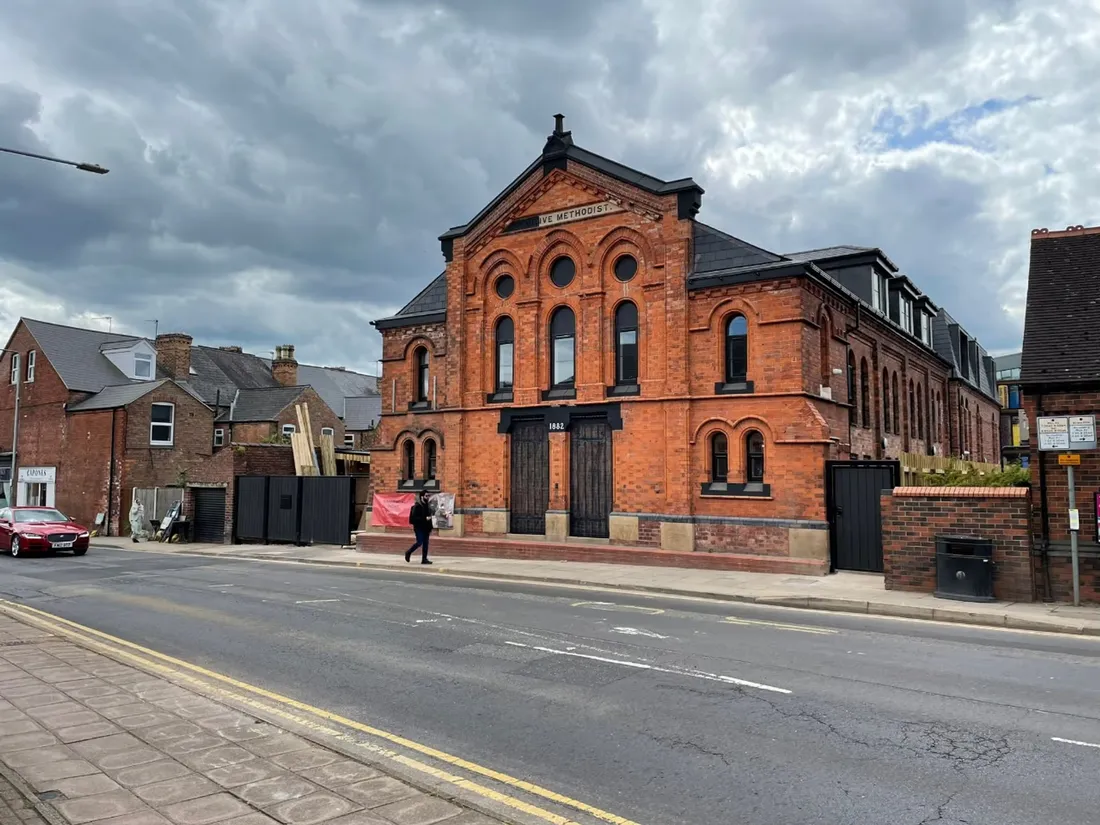
Converted historic buildings make some of the most desirable residential developments in the country, and some of the hardest WiFi installs. The features that sell the rooms are the same features that fight the network. Getting modern connectivity into an old building without spoiling what makes it special is a design problem, and it's one we know well.
Why old buildings fight WiFi
Start with the walls. Solid stone and dense old brick attenuate wireless signal far more aggressively than modern partition walls. A signal that would pass comfortably through several plasterboard walls in a new build can die inside a single historic one. Assumptions carried over from modern construction (one access point covering this many rooms) simply don't transfer.
Then there's what isn't in the building. Historic structures were never designed to carry services. There's no containment: no cable trays, no risers positioned where a network designer would want them, often no suspended ceilings to hide anything above. Every cable route has to be found rather than assumed (through existing voids, along routes the building already has), because you can't simply chase a channel into a wall that's part of the building's fabric.
Layouts complicate things further. Conversions of churches, mills and institutional buildings produce irregular spaces: mezzanines, double-height voids, rooms wrapped around a structure that was built for a different life. Radio behaves unpredictably in spaces like these, which is why measurement matters more here than anywhere.
Conservation constraints are real constraints
On top of the physics sits the paperwork. Where a building is listed or sits in a conservation area, alterations are restricted, and even where consent isn't formally required, a developer who has spent serious money restoring original features doesn't want an installer drilling through them. Fixings, cable routes and hardware positions all have to respect the fabric of the building. That rules out the standard playbook of surface trunking and wherever-is-easiest access point placement. Hardware needs to be positioned where it works and where it disappears, visually and physically out of the way of the architecture it serves.
How the design changes
The honest answer to thick walls is: stop trying to shoot through them. Instead of a few powerful access points pushing signal through masonry, the design uses more access points, placed closer to the people they serve, each covering a smaller and more predictable area. That approach depends entirely on a proper survey: measuring what the building's walls actually do to signal, room by room, rather than trusting a model built for modern construction.
Cable routing becomes a craft exercise: working with the voids, ducts and routes the building offers, and agreeing every visible fixing before it happens. It's slower than wiring a new build. It's also the difference between an install a conservation officer signs off and one that gets stopped halfway.
A converted church, connected
Commercial Point in Nottingham is our worked example: a renovated church, now purpose-built student accommodation, where the developers wanted internet to match the standard of the conversion. We surveyed the building in depth and worked the WiFi 6 network around its architectural features, placing access points for consistent coverage through the awkward spaces the church's structure creates, without disturbing the historic character the whole development trades on.
Students there get fast, reliable internet in a building with real character, and any connectivity issue goes directly to our support team rather than the site staff. That's the standard worth holding a historic conversion to: the building keeps its history, the residents get a network that behaves like it was built yesterday (because, invisibly, it was).